Seamless Neck Transition
- ****Open the skintone you want to use for your body base in any photo editing software & drag and drop the right neck overlay on top of it, export it, and use this texture for the body & neck.
(You can find the overlays in the 'Seamless Neck Transition' folder)
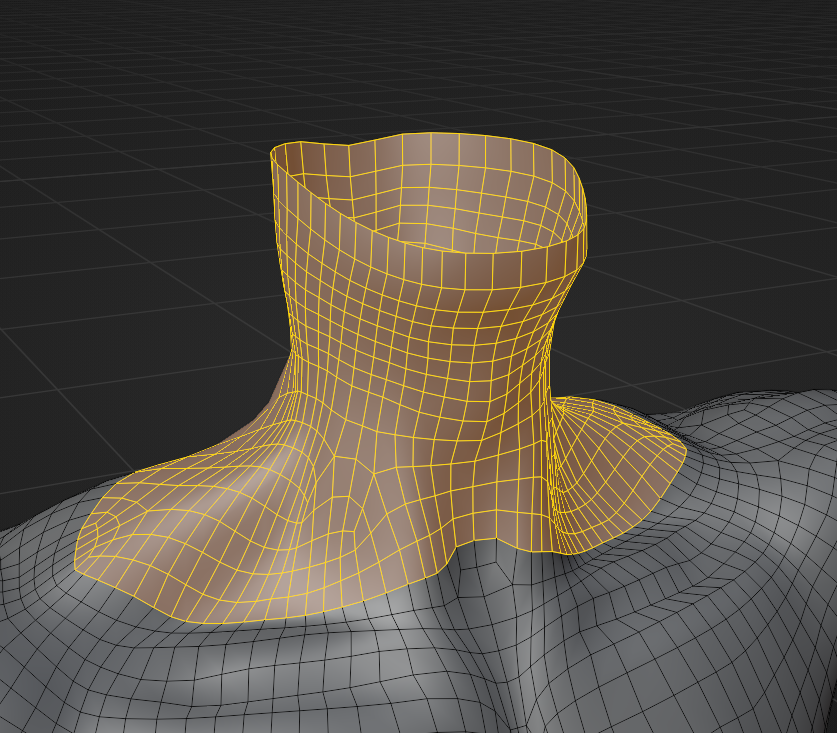
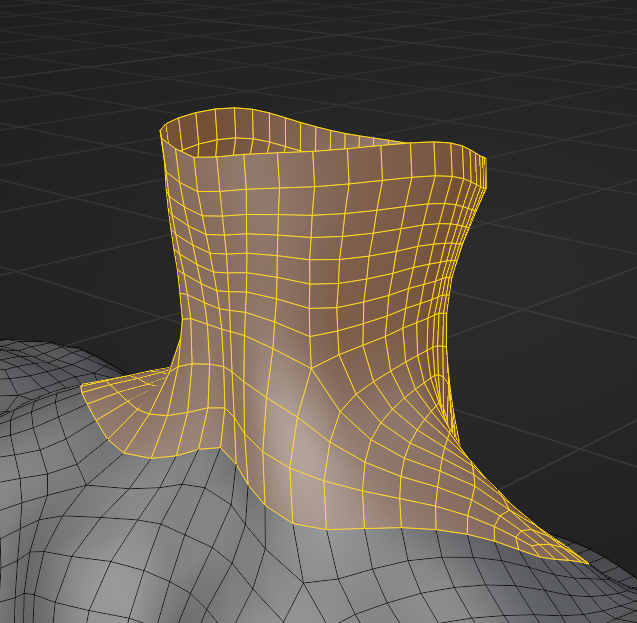
- Import the body base you want to use. And select and delete the following faces:
E-Boy Base
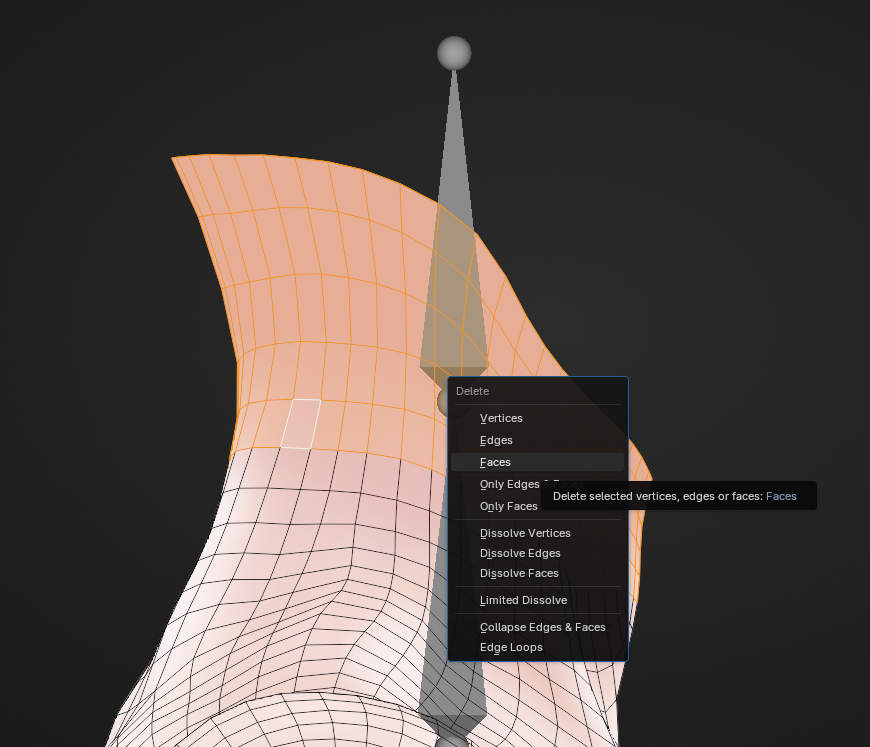
Akii Base V2
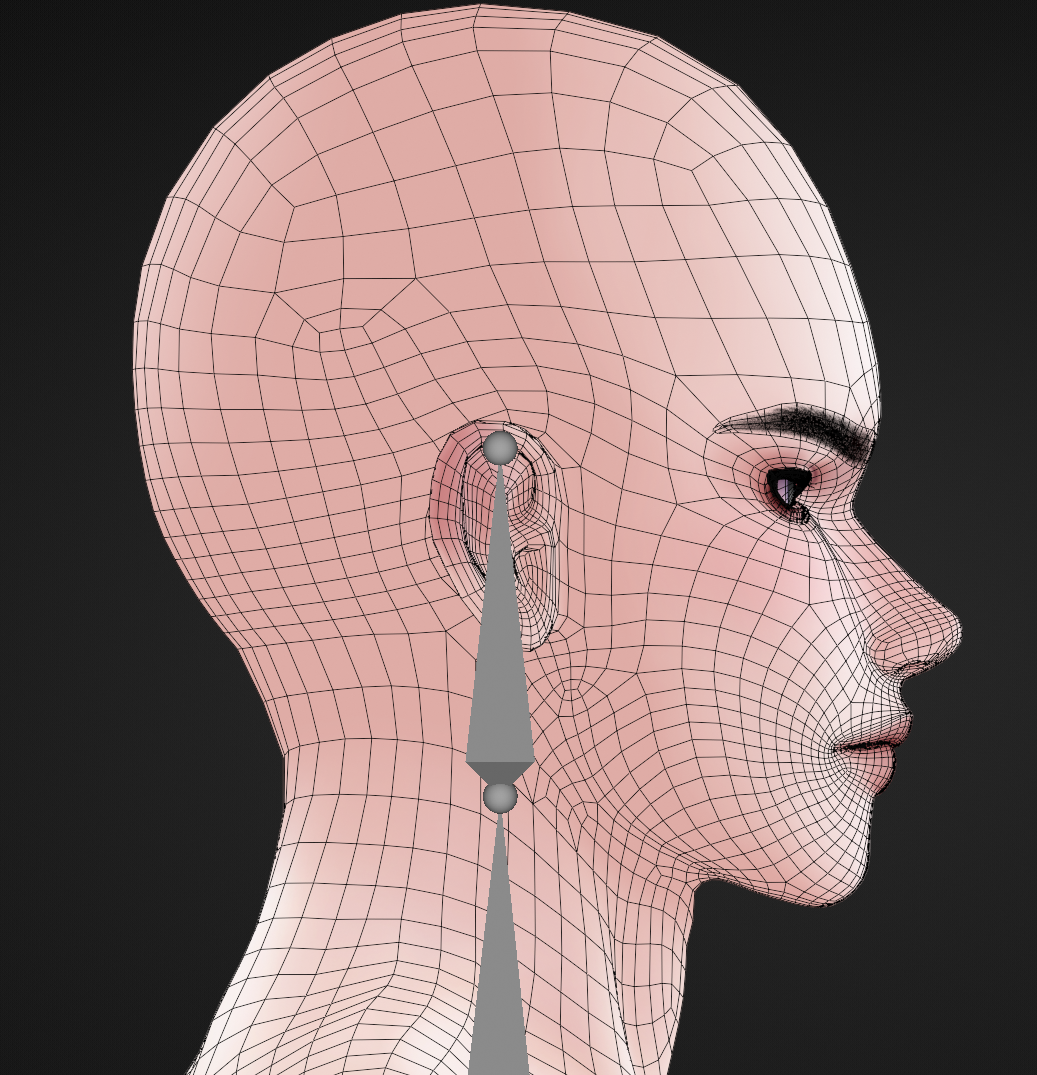
- Import the head and join the body & head mesh.
-
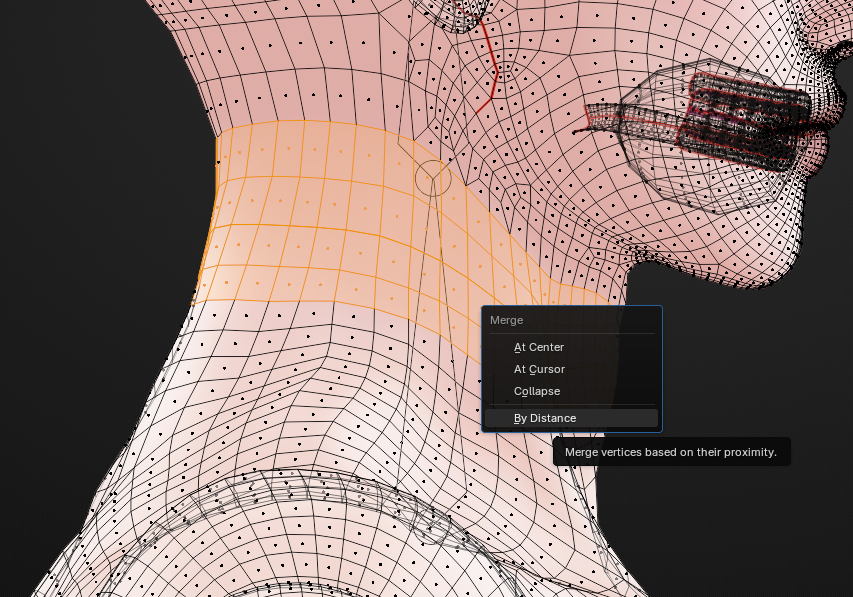
Merge the overlapping vertices by clicking 'M' and then 'By Distance'
-
Now merge both the armatures together like you normally would
DONE! :)